
Step 1
Open the sign-in screen
Tap Sign in at the top of the app’s welcome screen. After trial session 1, the app also invites you to create an account with Save progress and unlock session 2.
Step 2
Enter your email and tick the box
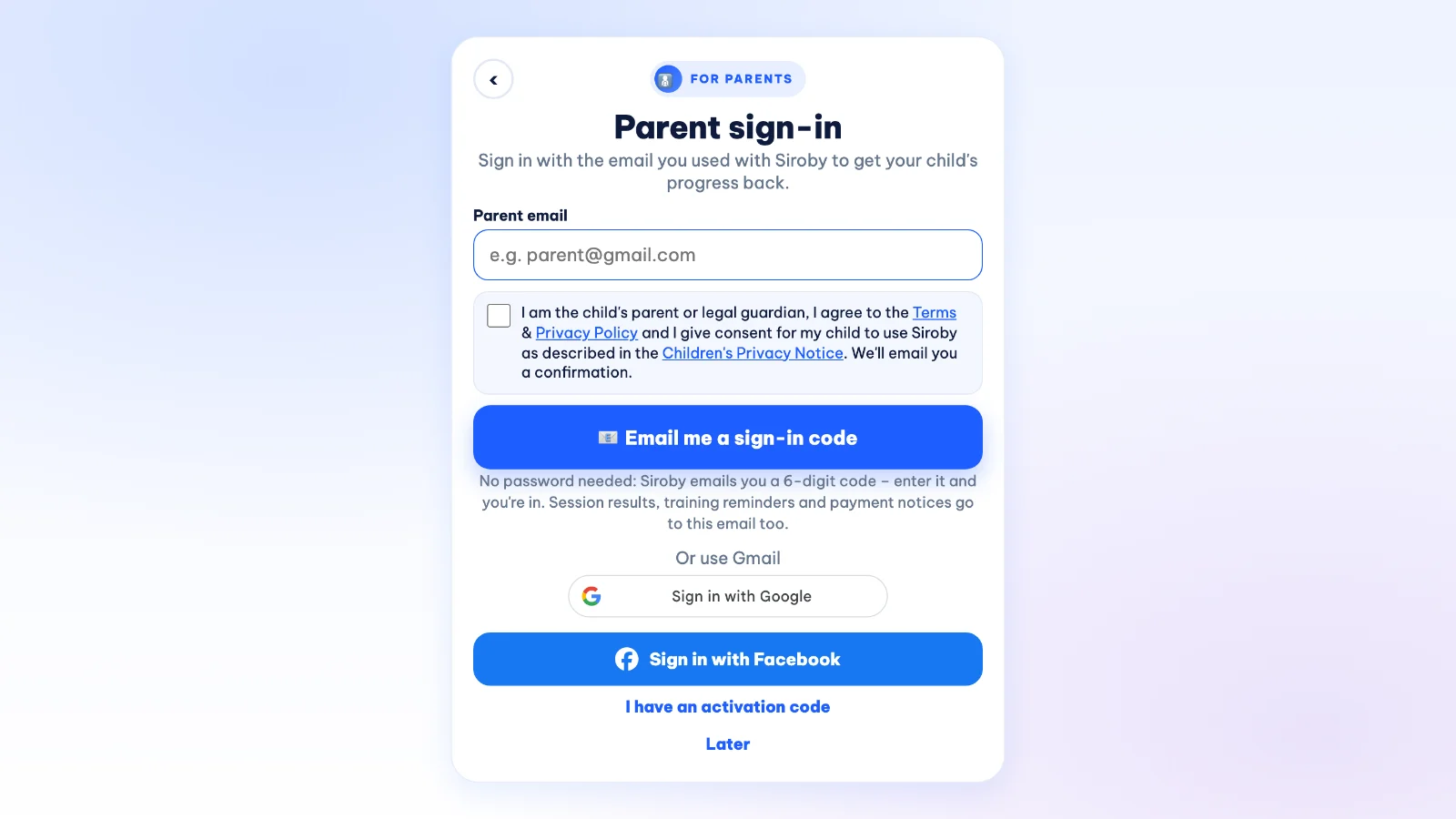
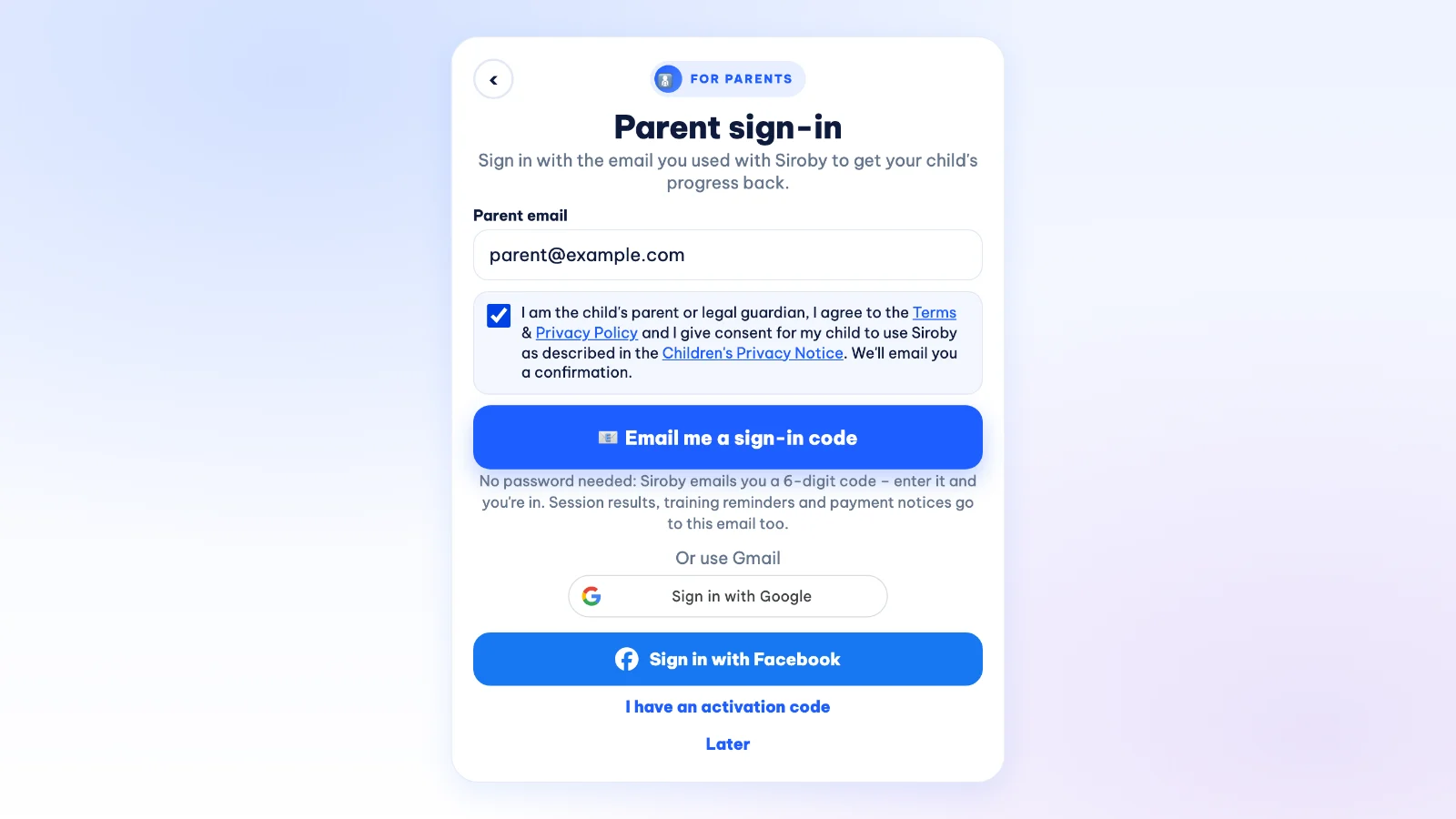
Type your email, tick I am the child’s parent or guardian, then tap Email me a sign-in code.
Step 3
Enter the 6-digit code
Open your inbox (check Promotions and Spam too) and enter the code in the app. The code works for 10 minutes. No email after a minute? Tap Resend code, or Change email if you mistyped it.
Step 4
Or use Google or Facebook
Tap the Google button or Sign in with Facebook, then follow the Google or Facebook screens. For Facebook, tick the agreement box first.
Step 5
Set a parent PIN and your child’s profile
The first time, the app asks you to set a 4-digit parent PIN (for Parent Corner), then your child’s name and birth year. Tap Later to skip a step. If Siroby sent you an activation code for an older account, tap I have an activation code.