
Step 1
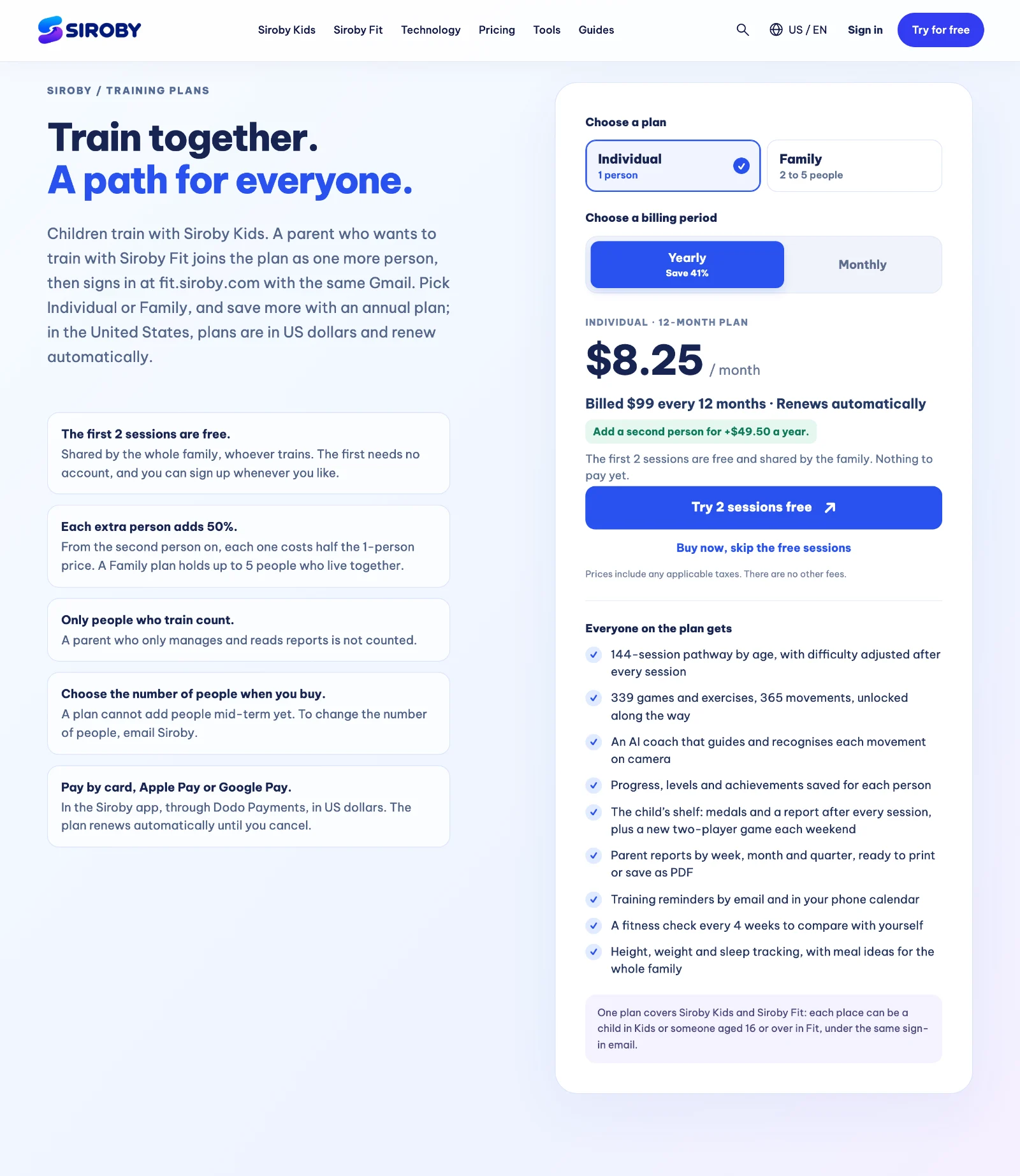
Choose a plan on the website
On the Pricing page, choose Individual (1 person) or Family (2–5 people) and a billing period, then tap the buy button. The Siroby app opens with that plan.
Step 2
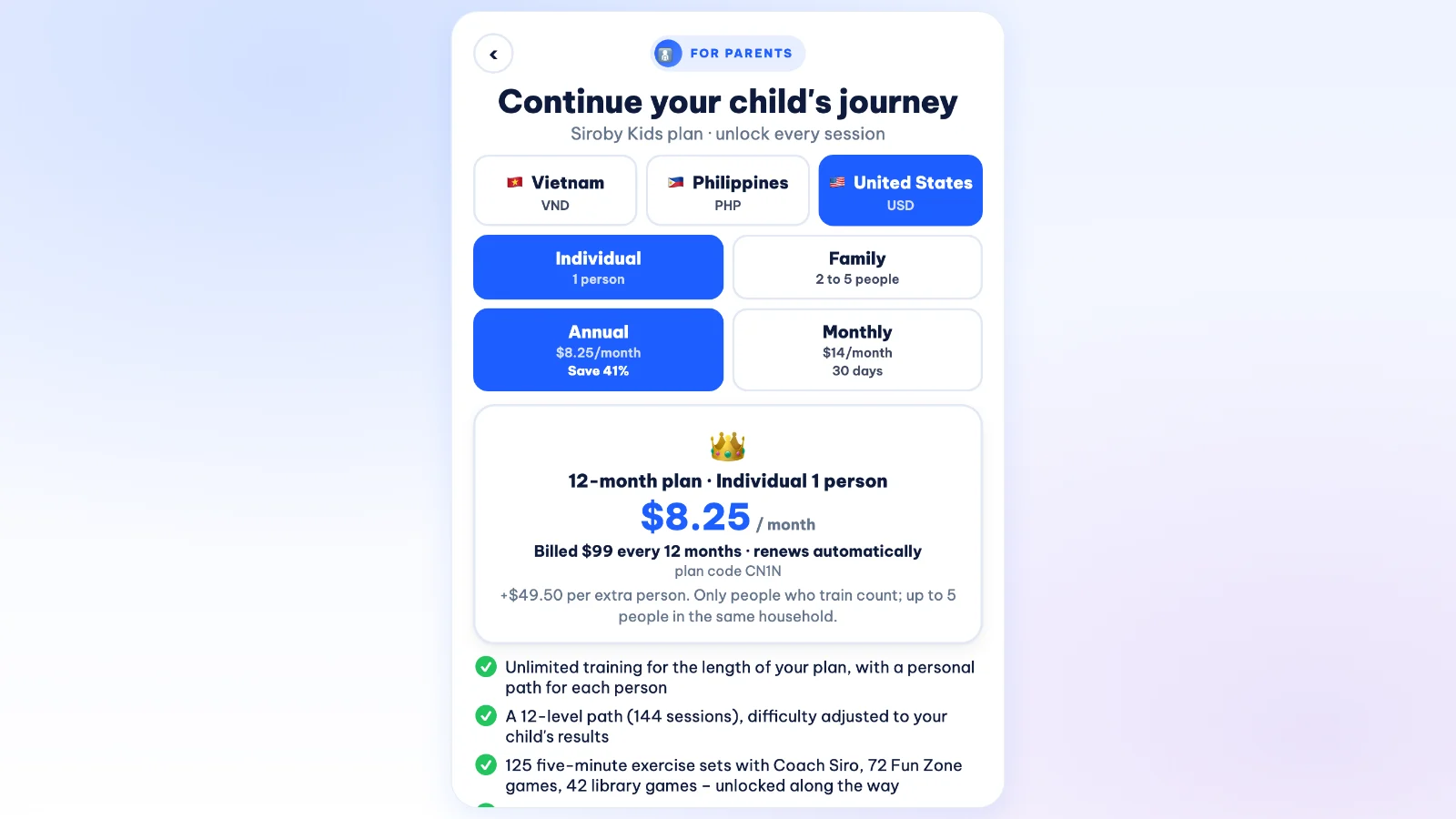
Check the plan in the app
The Continue your child’s journey screen shows the country, plan type, billing period, price and plan code. A Family plan has a People training stepper. In the app, you can also open this screen from Parent Corner.
Step 3
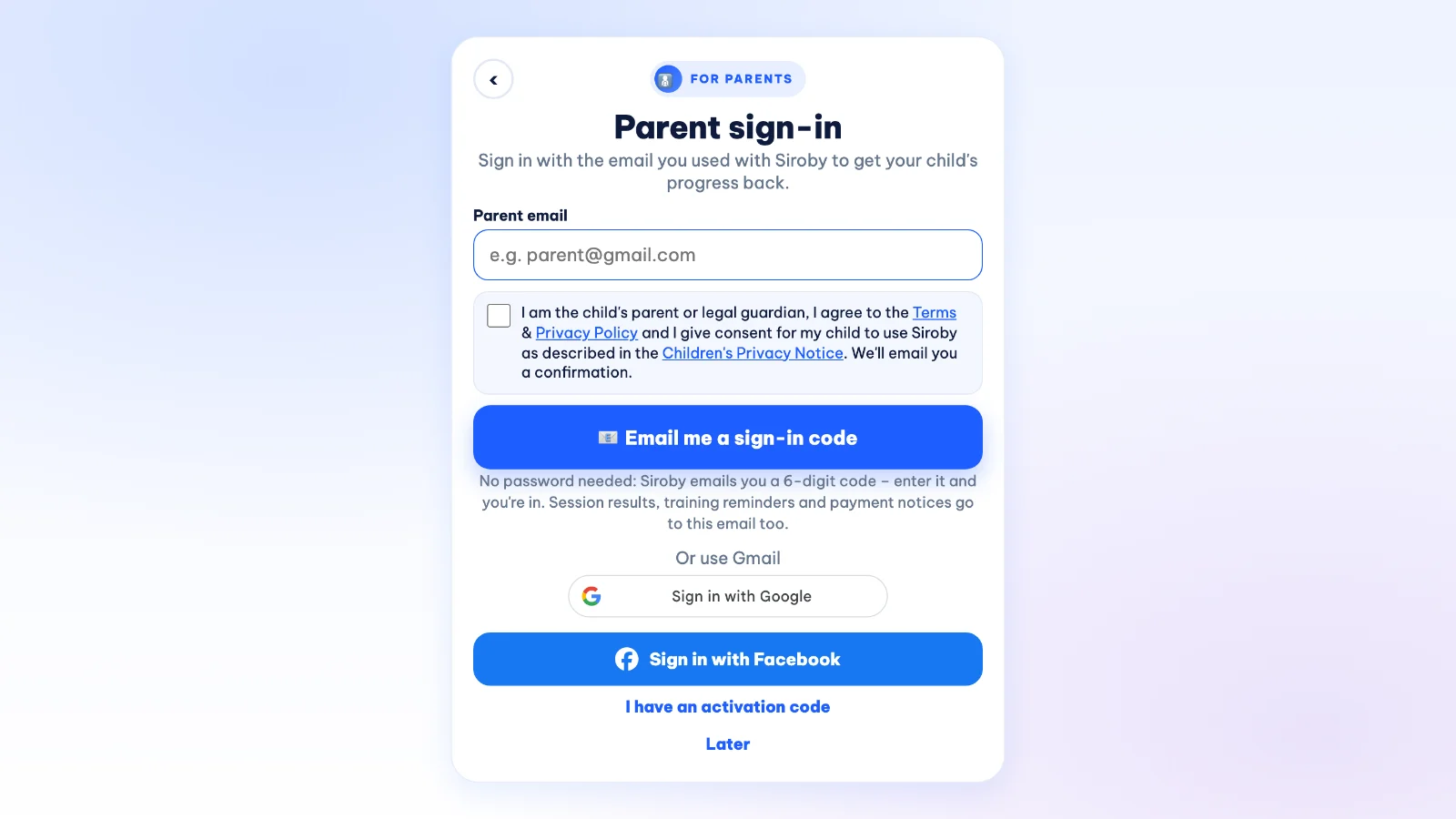
Sign in with email
Plans are linked to the parent account, so the app asks you to sign in before buying. The sign-in guide shows how.
Step 4
Confirm the order
The Confirm your order screen lists the plan, plan code, dates and total. Tick the box to agree to the terms and the separate box agreeing to automatic renewal.
Step 5
Pay
Tap Pay by card / Apple Pay / Google Pay. The Dodo Payments page opens in the same tab: pay there by card, Apple Pay or Google Pay, and only on that page.
Step 6
After you pay
The payment brings you back to the app with Payment successful! and the plan opens right away. It renews automatically until you cancel; to cancel, go to Parent Corner → Plan & account → Manage auto-renewal. Keep the Dodo Payments receipt.